# Other Asset types
## Let's generate an NFT
##### **Step 1: Create NMKR Studio Account**
NMKR Studio is an easy-to-use application that enables you to create, manage, and sell NFTs at scale. Native to Cardano, where it has minted millions of NFTs, NMKR now supports minting on multiple chains.
For Pre-production testnet, you can visit this link and create account.
[https://studio.preprod.nmkr.io/](https://studio.preprod.nmkr.io/)
##### **Step 2: Create & Mint your test NFT**
**- Create a new NFT project**
[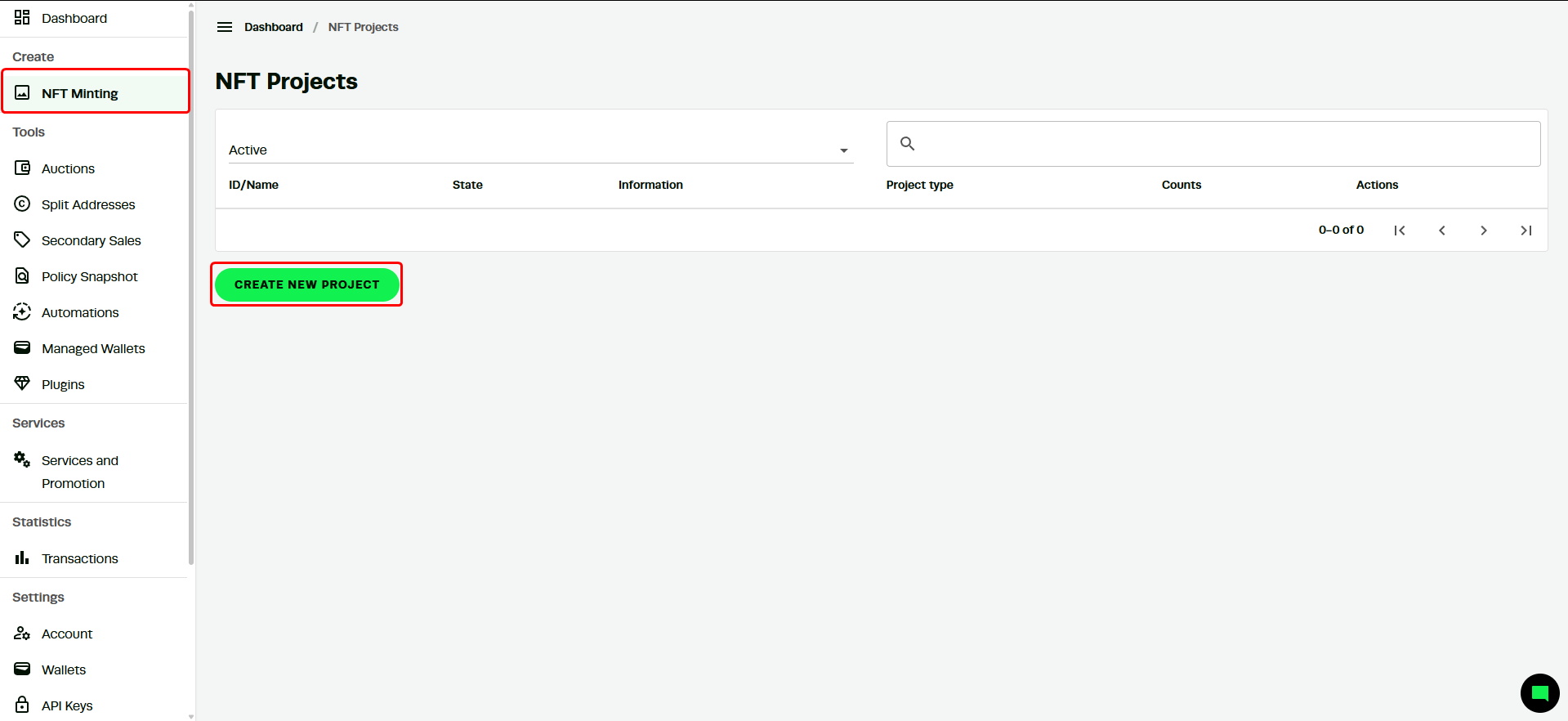](https://docs.l4va.com/uploads/images/gallery/2025-04/7gSow9QxX2ouL36e-image.png)
[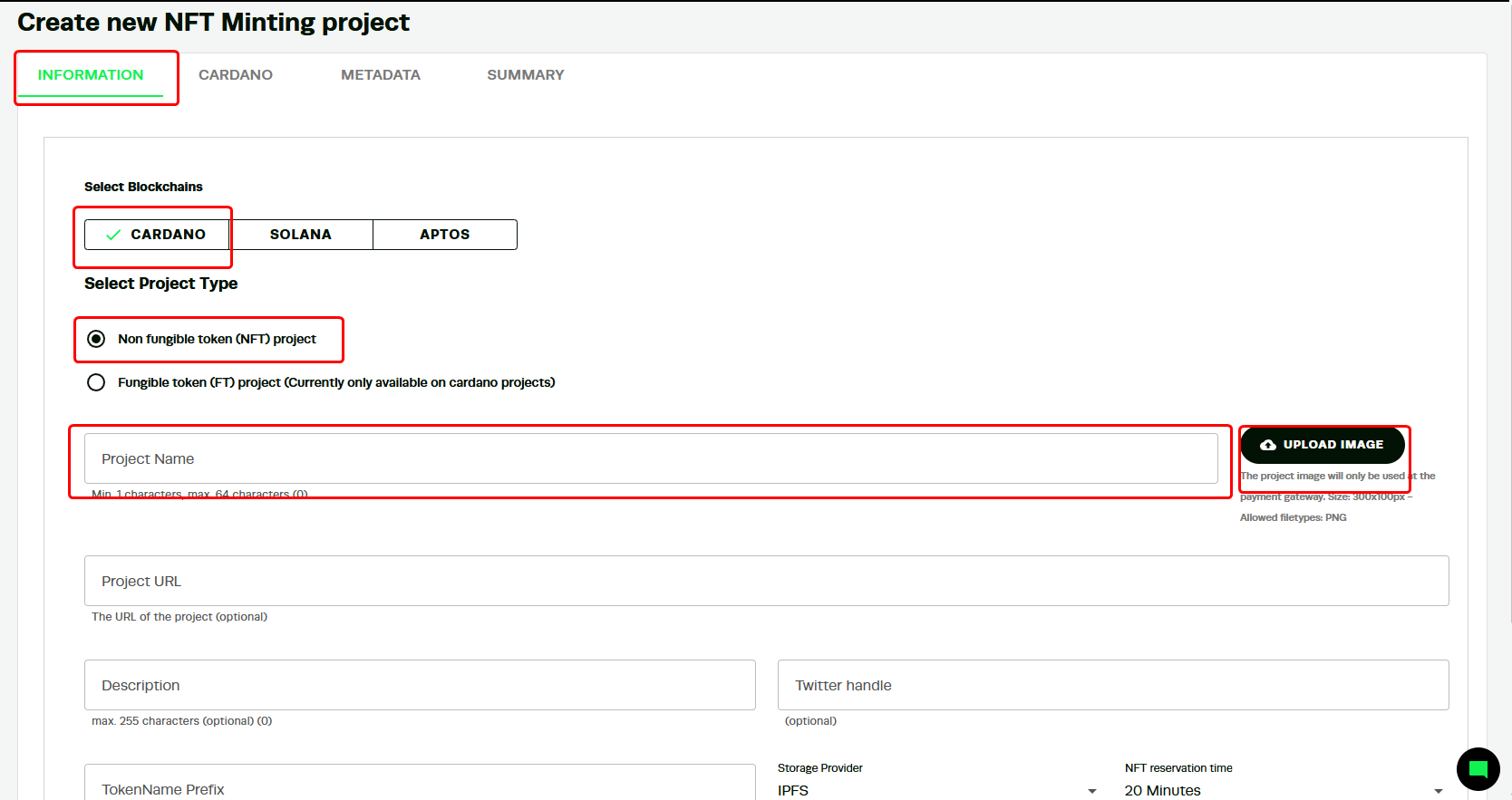](https://docs.l4va.com/uploads/images/gallery/2025-04/Ah84V3duKrASK1Dp-image.png)
**note: images have to be .jpg or.png format**
The next field fields are all optional but important when launching a commercial project. The **project url** is the website of the collection; the **Description** pertains to the NFT, a **TokenName prefix** is a name that goes before the number of a collection, and finally, the **X (Twitter)** handle of the project. The **NFT reservation** time is how long an account can have the asset in reserve before a purchase.
[](https://docs.l4va.com/uploads/images/gallery/2025-04/TLGGeXY3ILhJq6Ck-image.png)
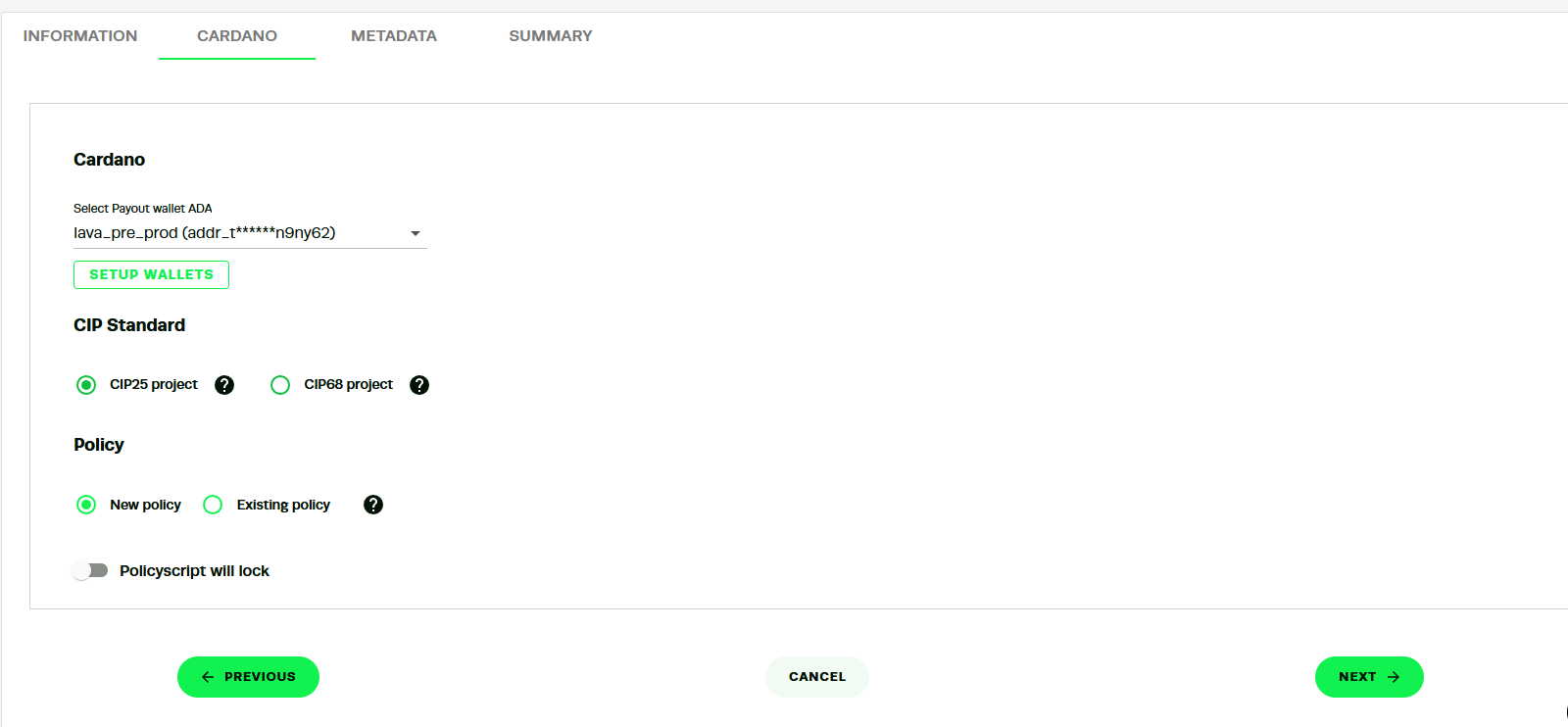
- Go to Setup Wallets and input your wallet address
- [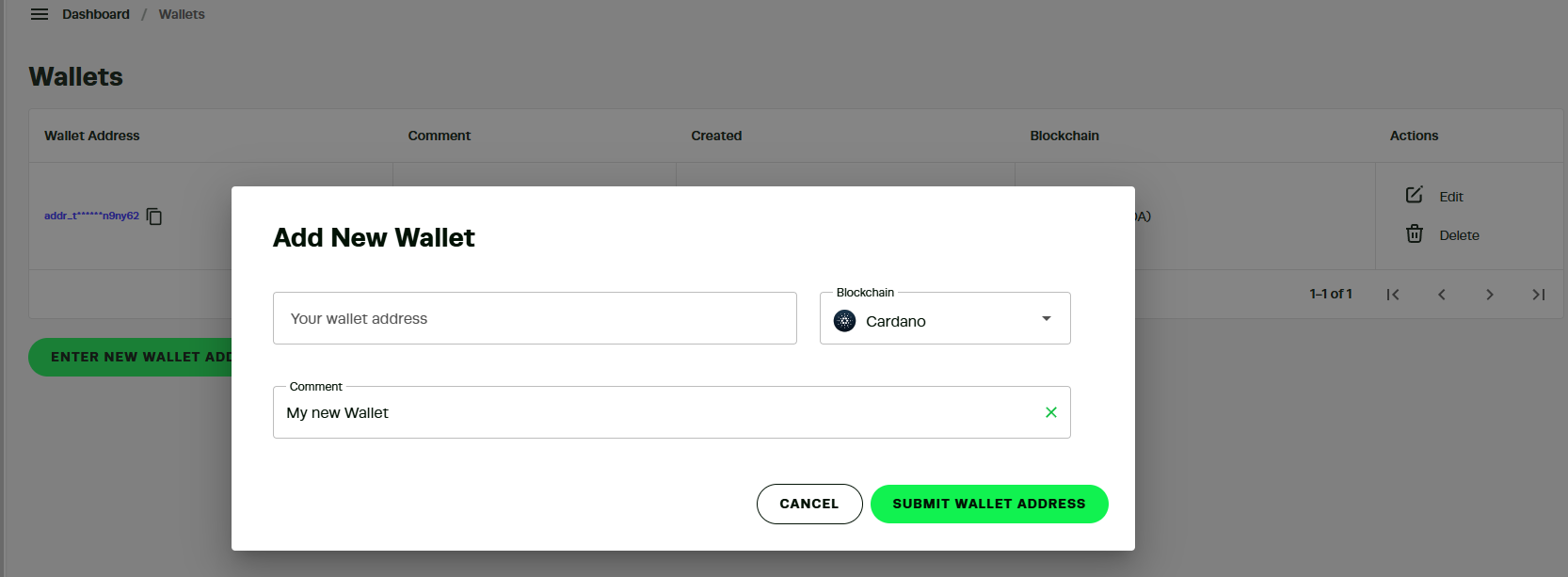](https://docs.l4va.com/uploads/images/gallery/2025-04/LAKjDtC3aLZ00FcG-image.png)
This wallet will be used to mint the NFTs.
**CIP-25** is the original standard for Cardano NFTs, providing a fixed, immutable metadata format, **CIP-68**, on the other hand, is a newer standard that allows metadata to be mutable, meaning it can be updated over time
A new **Policy ID** creates a unique identifier tied to the provided wallet address, establishing a fresh collection for new NFTs. If a user selects an existing Policy ID, the new NFT will be added to an already-established collection.
Next, the **Policyscript lock** allows you to set a future date as a minting deadline. After this date, no additional NFTs can be crated under this policy ID, effectively locking the supply permanently and ensuring scarcity of your collection.
[](https://docs.l4va.com/uploads/images/gallery/2025-04/AuucK5PVX2FJOXla-image.png)
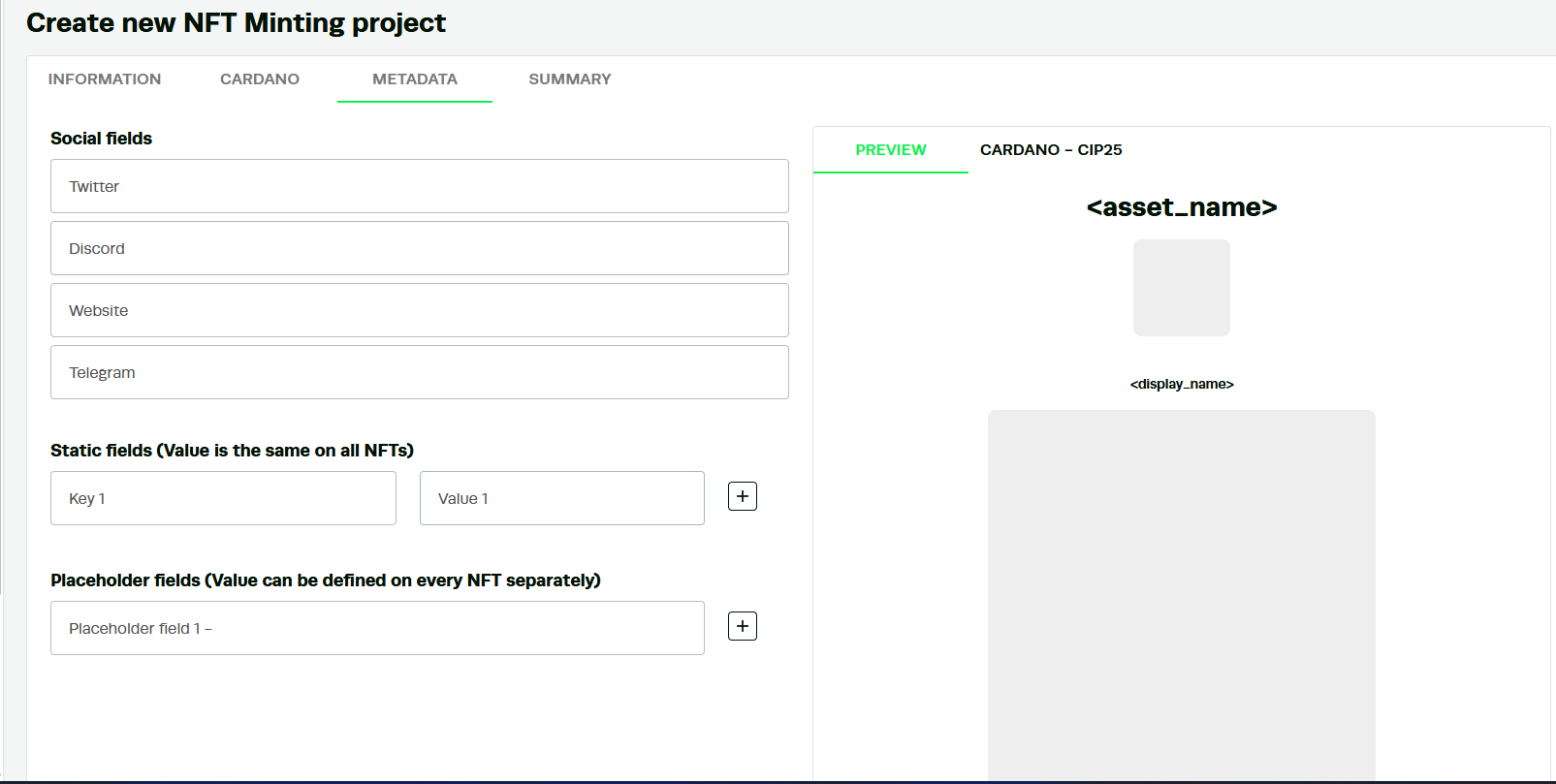
Finally, a user can configure the NFT **metadata**. This information is embedded in the token and visible on Cardano, allowing compatible wallets in the ecosystem to read and display it within the NFT section when users view their NFTs.
**- Managing the NFT**
[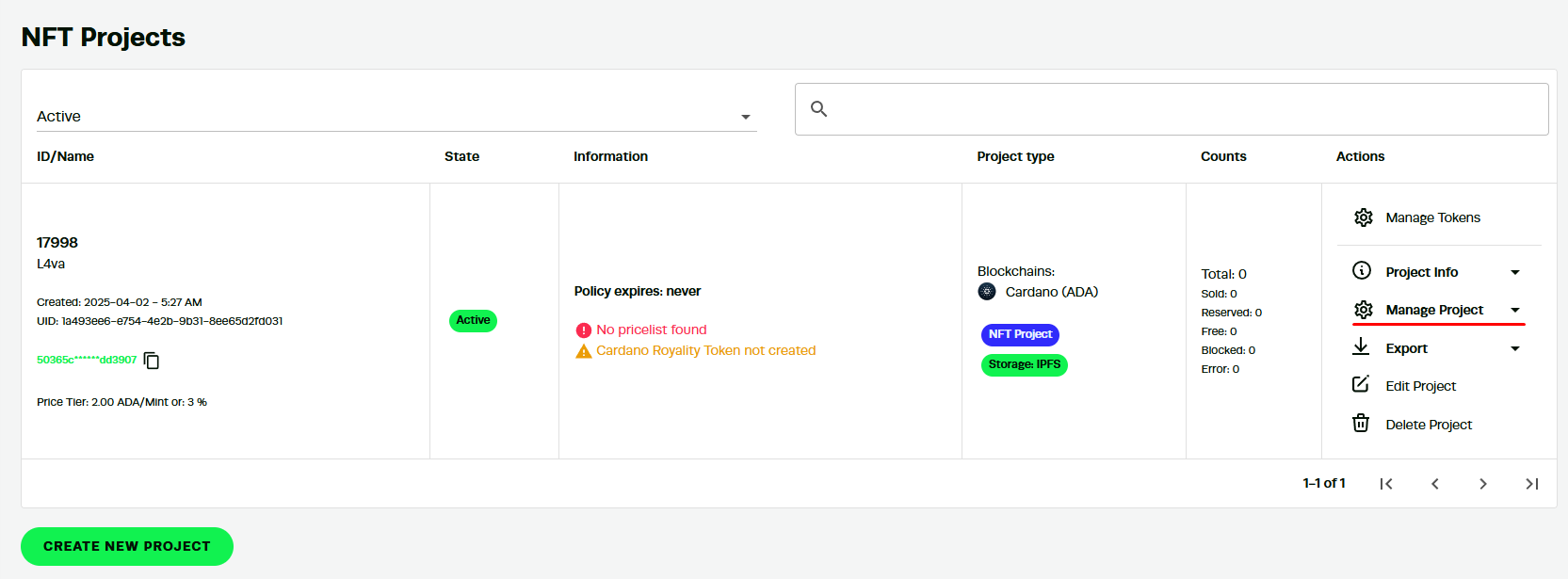](https://docs.l4va.com/uploads/images/gallery/2025-04/Ar2JwlTlNUQNCDpY-image.png)
You can see this menu appears in the Projects section of NNKR studio. From this menu, a user can access the sale option in NMKR Studio by clicking on "Manage Project" for those interested in putting it up for sale.
[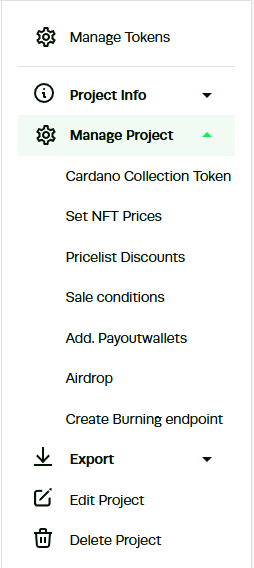](https://docs.l4va.com/uploads/images/gallery/2025-04/B3nuoV2cO4kJb5DF-image.png)
The first choice **Cardano Collection Token** in the dropdown menu allows a user to create a royalty token. This will ensure that a percentage of every NFT resale goes to the wallet specified by the token's creator.
[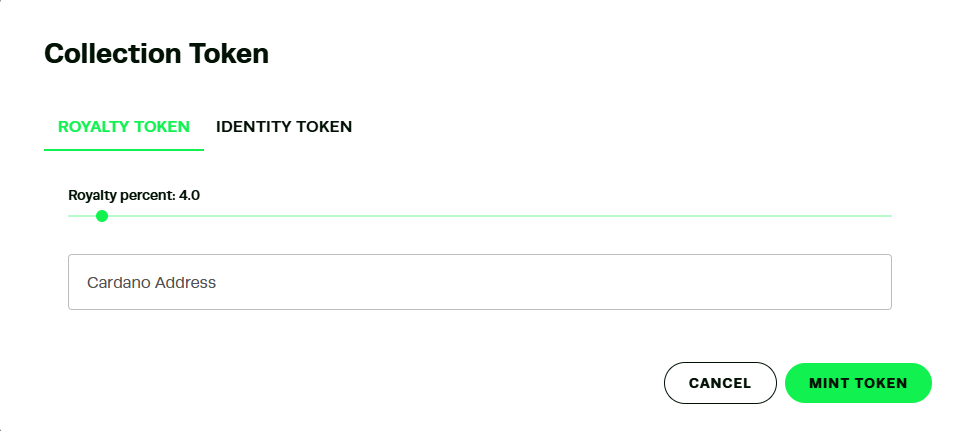](https://docs.l4va.com/uploads/images/gallery/2025-04/1pDXSZI77dKQ1uXq-image.png)
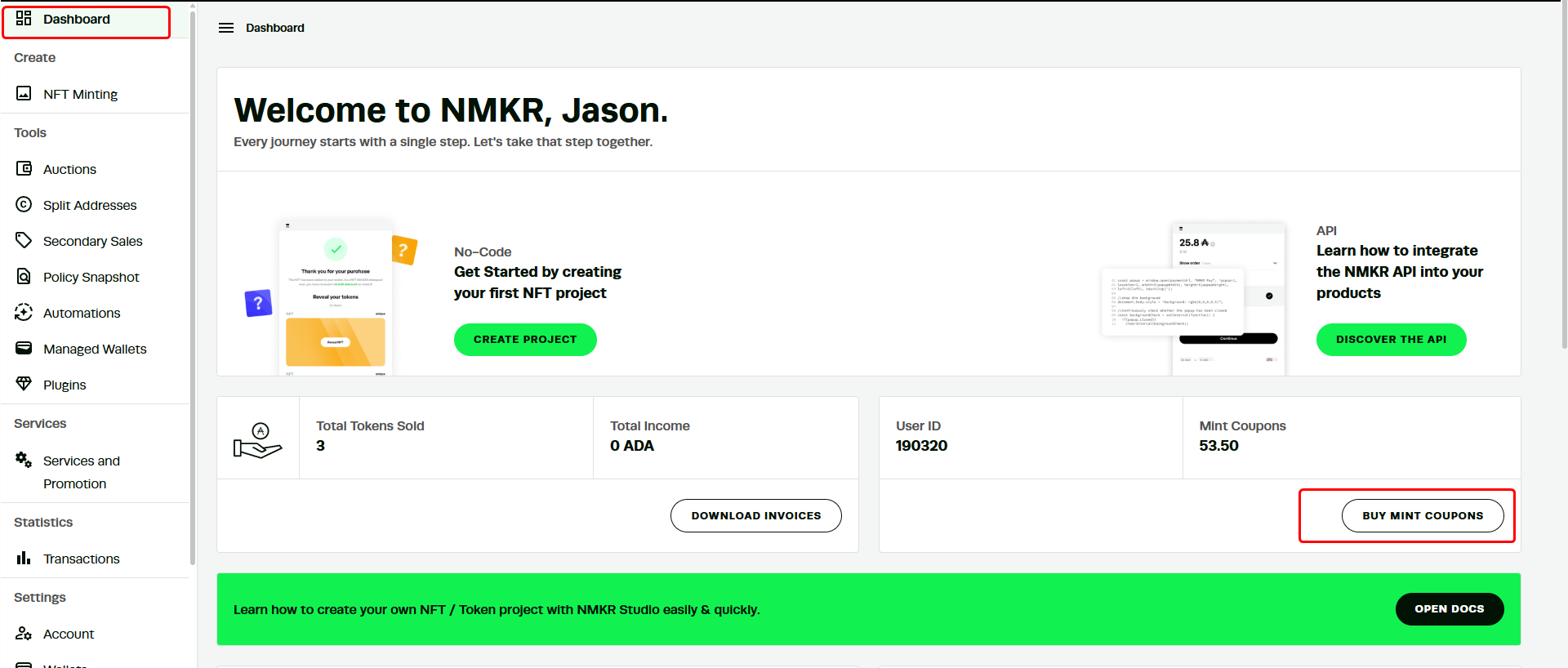
Here to mint token, you should buy **MINT COUPONS** on dashboard.
[](https://docs.l4va.com/uploads/images/gallery/2025-04/bP4jzOyDvIP91UhM-image.png)
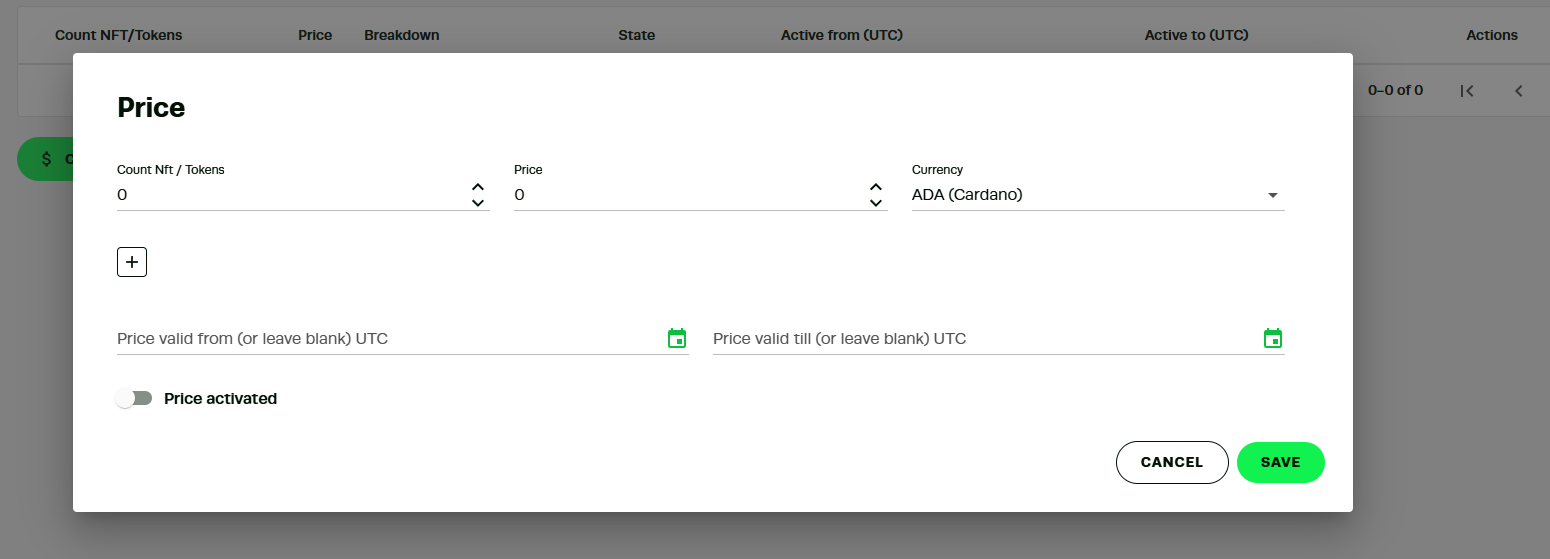
The second dropdown menu item **Set NFT Prices** is where a user can settle on the price of each minted NFT in their collection.
[](https://docs.l4va.com/uploads/images/gallery/2025-04/X6HXVp2iM93Y38UN-image.png)
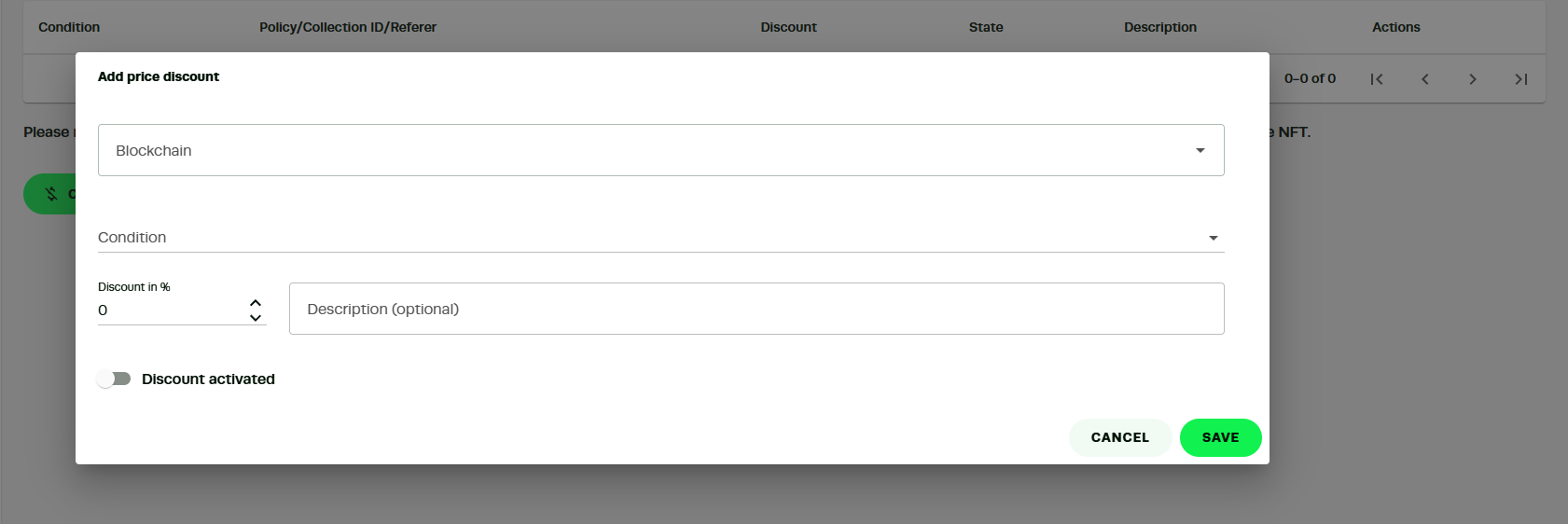
The next feature NMKR Studio allows is for the user to create **discount conditions**. Users can set up a series of discounts based on some criteria met by the buyers
[](https://docs.l4va.com/uploads/images/gallery/2025-04/m5JAo0RpjpAv0oK8-image.png)